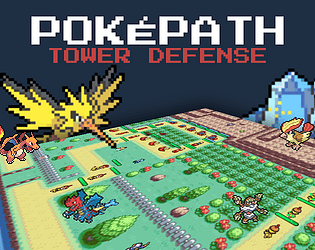
PokéPath TD
POKÉMON · TOWER DEFENSE · STRATEGY
Play here · No new tab required
Quick controls
- 1 – 0
- Select a team slot
- SPACE
- Start the next wave
- X / Z
- Ranges / damage stats
- ESC
- Close the current window
Before you play
- Press Play now to load the game on this page.
- Keep a save backup before switching browsers.
- Start on desktop for the most comfortable layout.
Recommended games
Browser games









About PokéPath TD
Plan your team. Defend the route. Try again smarter.
- Developer
- Khydra
- Platform
- Web browser
- Guide version
- 1.6.3
- Source checked
- 18 Oct 2026
PokéPath TD is a Pokémon-inspired tower-defense fan game by Khydra. This independent hub puts the embedded game, controls and save guidance in one place, with a wider browser-game collection for your next break.
The focus here is on practical route planning. Use the guide below to approach a new layout, diagnose a failed run and keep useful notes. For current game data, consult the official wiki.
Your first PokéPath TD session
PokéPath TD turns team building into a route-defense game. Pokémon occupy positions around a path while waves of enemies move toward the exit. A useful first goal is to understand where your lineup stops working, then change one part of the setup at a time.
Read the route before spending
Look for bends where a unit can cover more of the path. Compare its displayed range with the available placement space, and watch a wave before committing more resources. A strong unit in the wrong position can leave an important stretch uncovered.
Build around the problem you can see
When enemies get through, note whether your team is missing coverage, focused damage or a way to handle a particular enemy trait. Inspect the in-game descriptions before choosing a replacement. This is more useful than assuming that one lineup works on every route.
Keep a record of each attempt
Write down the route, the wave where the run broke down and the change you want to try. For a useful comparison, keep the rest of your team unchanged. These are planning suggestions from this hub, not a ranked or statistically tested build.
Keep your next run safe.
Your browser is not a permanent backup. Export before clearing browsing data, moving devices, switching game hosts or trying a different version.
- 1Open the game settings
Find the data / export option in the official game.
- 2Download your save
Keep the exported file with the version and date in its name.
- 3Import when you move
Use the game’s import option and keep the original backup until progress is confirmed.
Quick answers
How can I play PokéPath TD on this page?
Press Play now above to load the game directly in this page. The embedded player is hosted at pokepath-game.pages.dev. You can use theater mode or fullscreen without leaving this hub.
How do I keep my progress?
Browser saves stay with the game host in that browser; saves from another host do not transfer automatically. Export a backup from the game settings regularly, and before changing devices, browsers, game hosts or versions. Keep the downloaded save file somewhere you can find it.
Is this the official PokéPath website?
No. PokéPath.uk is an independent game hub. PokéPath TD is a fan game by Khydra, and its official website is pokepath.gg. This hub is not affiliated with Nintendo or The Pokémon Company.
Can I play on my phone?
The official site says the browser game is available on smartphones but is not optimized for mobile. A desktop browser is the better starting point.